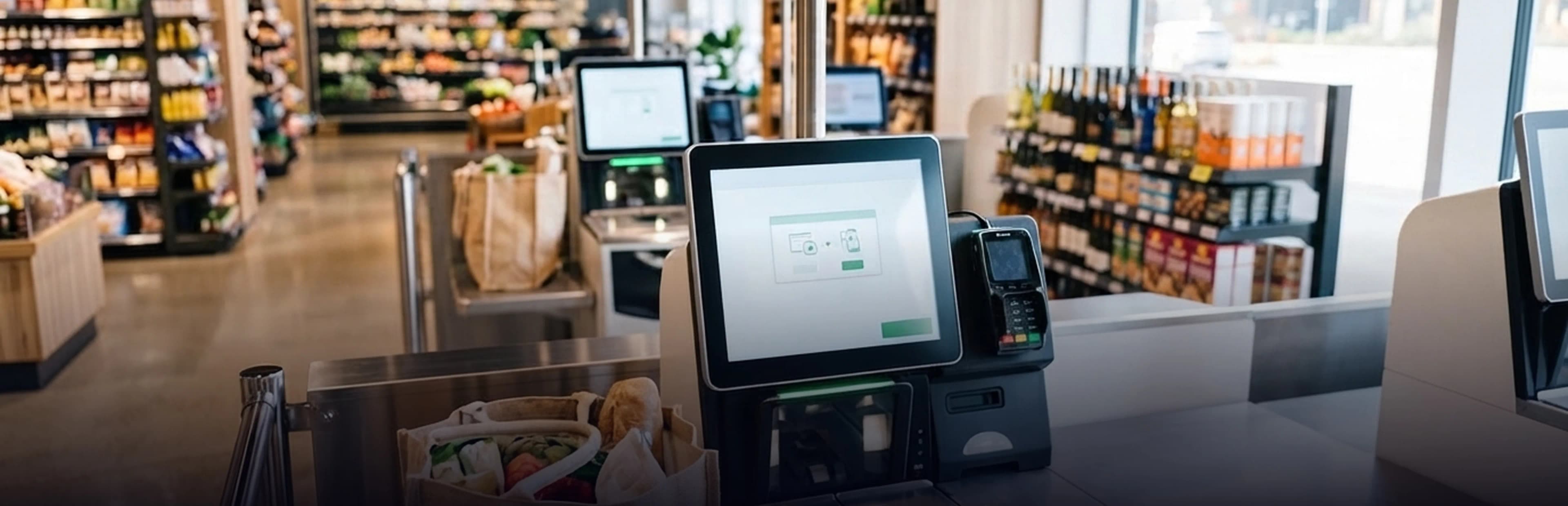
Customers today expect faster and easier ways to explore products before making a purchase. In large stores, malls, showrooms, and retail environments, customers may need to browse hundreds of products, compare features, check specifications, or find the right product without waiting for a salesperson. Interactive kiosk development can help businesses create a better product discovery experience. A touchscreen, user-friendly kiosk is transformed into a digital assistant that helps customers check catalogs, compare items, get specifications, look for possible options, and make a better purchase decision. Retail kiosks are widely used for product searches, product orders, custom offers, and other customer services. Here we will discuss five interactive kiosk companies worth considering for product search, but will concentrate mainly on Abhiwan Technology and its custom kiosk development services.
What Is an Interactive Product Discovery Kiosk?
An interactive product discovery kiosk is a digital solution that works on a touch-screen interface and enables consumers to search for products without depending entirely on sales personnel. Instead of relying on catalogs and employees to search for various items, buyers can use the kiosk and learn about product categories, individual items, and specifications, as well as view images among other details. For instance, a customer visiting an electronics shop can browse for laptops within a specific range of price, processor speed, and size of the screen, as well as by brand. The kiosk would show the resulting items based on the search. Moreover, a retail interactive information kiosk can also provide connections to online catalogs, which enhances the shopping experience of consumers. This makes the interactive product discovery kiosks much more than digital information screens.
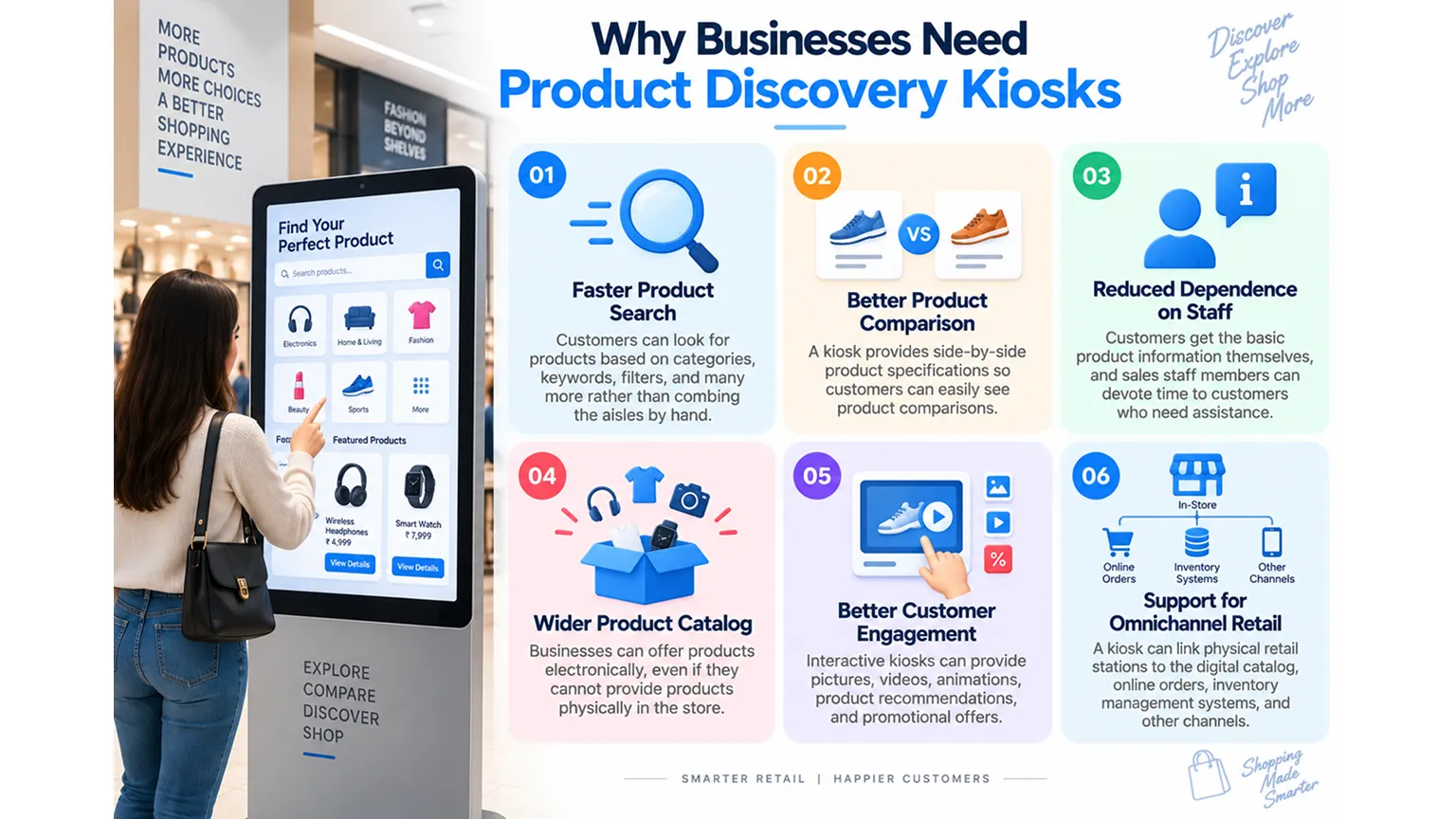
Why Businesses Need Product Discovery Kiosks
Retail stores often have limited shelf space, while product catalogs can be much larger. Customers may also need detailed information before purchasing a product. A product discovery kiosk can help solve these challenges by giving customers direct access to digital product information.
Faster Product Search
Customers can look for products based on categories, keywords, filters, and more rather than combing the aisles by hand.
Better Product Comparison
A kiosk provides side-by-side product specifications so customers can easily see product comparisons.
Reduced Dependence on Staff
Customers get the basic product information themselves, and sales staff members can devote time to customers who need assistance.
Wider Product Catalog
Businesses can offer products electronically, even if they cannot provide products physically in the store.
Better Customer Engagement
Interactive kiosks can provide pictures, videos, animations, product recommendations, and promotional offers.
Support for Omnichannel Retail
A kiosk can link physical retail stations to the digital catalog, online orders, inventory management systems, and other channels.
Key Features of a Product Discovery Kiosk
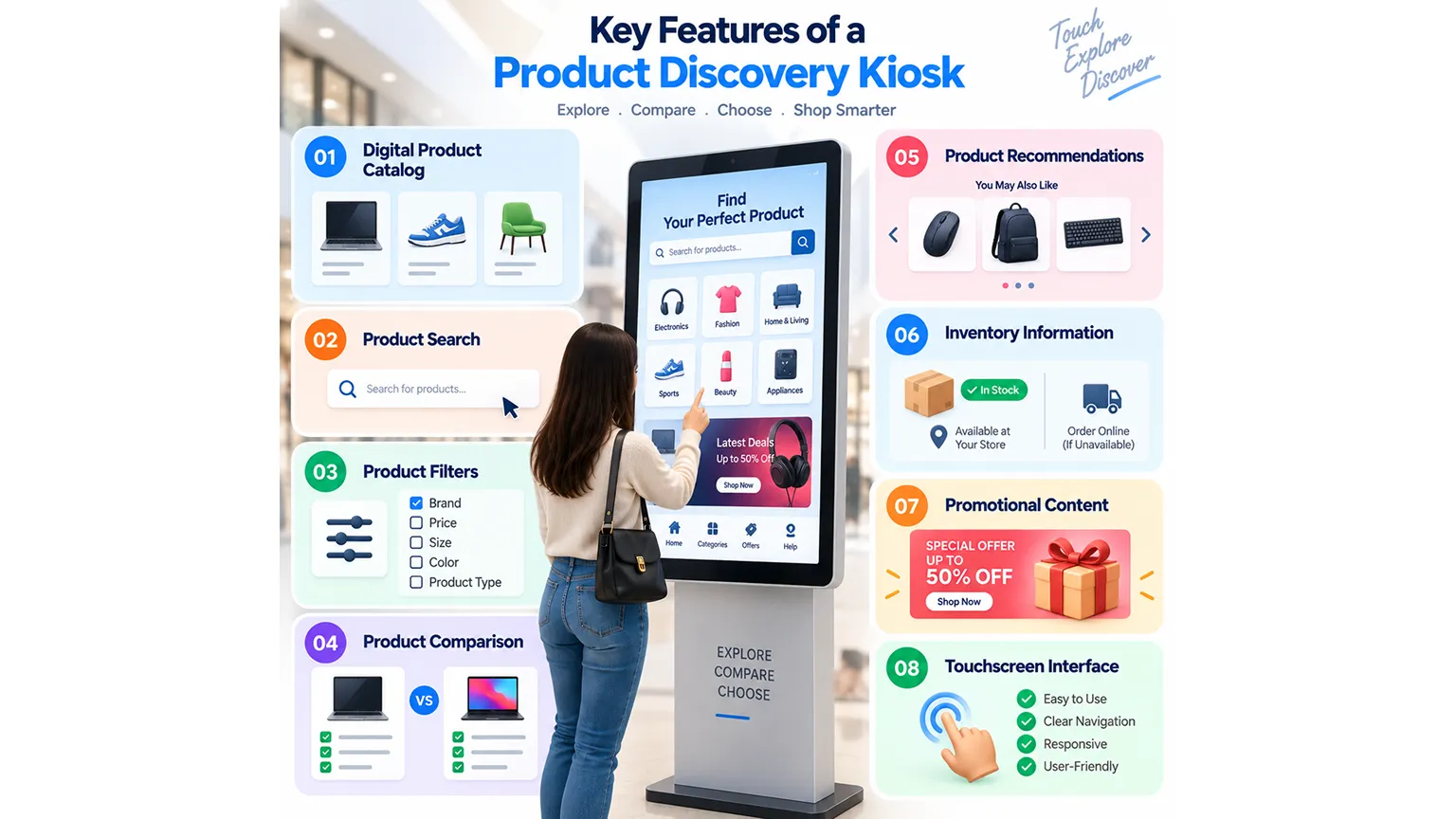
A successful kiosk should make product exploration simple. The interface should help customers find information quickly without requiring technical knowledge.
1. Digital Product Catalog
By utilizing a digital product catalog, businesses enable their clients to browse for products that fall within a certain category, brand or even price range. Other attributes, like pictures, specifications, or videos, are leveraged by businesses to give their customers more information than traditional print catalogs.
2. Product Search
The product search option makes it easier for clients to find specific products. For example, customers searching for a specific smartphone model only have to enter the name of the product instead of visiting every option available manually.
3. Product Filters
Filters can make large product catalogs easier to navigate. Depending on the business, customers could filter products by:
- Brand
- Price
- Size
- Color
- Product type
- Features
- Availability
- Specifications
4. Product Comparison
Product comparison works great in cases when clients are deciding between various products that may be similar. The kiosk that holds pertinent information, such as specifications, side by side is very helpful to the client when making these decisions.
5. Product Recommendations
Using kiosks, companies can suggest products that people would like in addition to other products they have already selected to see. For example, a customer who is looking for a laptop might get suggestions for a mouse or a laptop backpack.
6. Inventory Information
A kiosk connected to a compatible backend system can present data about product availability. This function may let customers know if a certain product is in stock in the current store or has to be ordered.
7. Promotional Content
Product discovery does not end with product inventory. Companies can also show discounts, seasonal promotions, new items, or marketing initiatives via kiosks.
8. Touchscreen Interface
A kiosk's touchscreen has to be responsive and simple to use. The kiosk should provide clear navigation, visible writing, convenient buttons, and user-friendly menus to let customers get the needed data without help.
Interactive Kiosk Companies for Product Discovery
Several businesses provide kiosk hardware, software, self-service systems, or custom kiosk development. However, the right provider depends on the project's requirements, integrations, target environment, and desired customer experience.
1. Abhiwan Technology
Abhiwan Technology is one of the top interactive kiosk development company in India. This company provides custom interactive kiosk solutions for retail, malls, events, advertising, self-service, and client learning. Their product discovery kiosk makes it easy for consumers to find out about the goods and interactively compare their specifications. Abhiwan utilizes touchscreen displays and digital kiosk software for seamless browsing through the catalog and quicker purchase decisions. The company also creates kiosks that facilitate the retail experience, which enable customers to learn about the products and get assistance in the purchase process on a big screen.
2. NCR Voyix
The retail technology solutions provided by NCR Voyix encompass the areas of point of sale (POS), payments, checkout, operations, and self-service in retail. Created with connected retail operations in mind, the system offers in-store, mobile, and self-service technologies. To make an informed decision, it is essential to compare NCR Voyix with other similar providers to see if the company's ecosystem fits the specific needs of an organization in terms of product discovery kiosks.
3. Diebold Nixdorf
Diebold Nixdorf also provides retail technology solutions with a focus on self-service technologies. Their portfolio consists of their own self-service kiosks, point-of-sale technologies (POS), and other solutions. The main focus of Diebold Nixdorf's solutions is self-service technologies, modular technologies, and smart stores. When looking for the right company, Diebold Nixdorf can be included in the list of the most reliable providers of retail technology solutions.
4. Meridian Kiosks
Meridian Kiosks facilitates the use of interactive digital kiosks in activities like retail sales, information sharing, wayfinding, and other self-service options. The kiosk content can be customized and changed remotely. Their retail solution emphasizes the unison of physical shops and digital shopping experiences, building on product discovery and orders. Businesses can consider Meridian's services when looking for kiosk options that connect physical retail with digital catalogs.
5. Olea Kiosks
Olea Kiosks provides self-service retail kiosks with the aim of enhancing their customers' retail operations. Kiosks of Olea focus on providing a high-level experience to customers and letting businesses offer self-service options. Businesses interested in either should compare available configurations and capabilities with their specifications.
How Interactive Kiosk Development Works
A professional interactive kiosk development company should follow a structured development process.
Step 1: Requirement Discovery
The first step in the process is to get information about the company, its clients, the location of the kiosks, the product listing, as well as the customer journey.
Step 2: UI/UX Design
The interface has to be developed for users who might not have any knowledge of how to work with such devices. The combination of simple interfaces, visible buttons, understandable information about products, and a user-friendly interface will substantially speed up the process of product search.
Step 3: Kiosk Development
The software is then developed according to the design and technical specifications approved earlier. The software may include the catalogs of products, search, filtering, comparison, recommendations, an application programming interface, and a database.
Step 4: Testing
A kiosk which is located in public places shall work continuously without any errors. Testing involves the assessment of usability, technical compatibility, and the performance of software.
Step 5: Deployment
The completed software is configured for the selected kiosk hardware and deployed at the required locations.
Step 6: Support and Maintenance
Product catalogs, prices, promotions, inventory, and other information may change regularly. Ongoing maintenance allows businesses to keep the kiosk experience accurate and functional.
How Product Discovery Kiosks Can Increase Retail Opportunities
The main purpose of a product discovery kiosk is to make product information easier to access. However, businesses can use the same system to support other commercial objectives. For all these reasons, most of the industries are taking the services related to kiosk from interactive kiosk companies.
Cross-Selling
A kiosk is able to offer customers complementary products.
Upselling
Customers are offered better products with more functions.
Digital Catalog Expansion
Businesses have the opportunity to present items that are out of stock.
Lead Generation
A business can allow customers to request a demo, consultation, callback, or additional product information.
In-Store Ordering
Depending on the kiosk integration level, customers may be able to place orders.
Promotional Campaigns
Brands can use the same screen to promote new launches, limited-time offers, and seasonal campaigns.
Interactive Information Kiosk vs Traditional Product Catalog
| Feature | Traditional Catalog | Interactive Information Kiosk |
|---|---|---|
| Product search | Limited | Fast digital search |
| Product comparison | Manual | Interactive comparison |
| Product images | Limited | Rich digital media |
| Product updates | Reprinting required | Software-based |
| Product recommendations | Limited | Possible |
| Promotions | Static | Dynamic |
| Product availability | Difficult to update | Can integrate with systems |
| Customer interaction | Low | High |
| Catalog size | Physically limited | Digitally scalable |
A traditional catalog can still be useful, but an interactive information kiosk gives businesses much greater flexibility when customers need detailed and frequently updated product information.
How to Choose the Right Interactive Kiosk Development Company
Before selecting an interactive kiosk development company, businesses should consider several factors.
Customization
Is it possible for the company to create the kiosk in such a way that matches your products, brand, store design, and the journey of your customers?
Integration
Is it possible for the kiosk to be integrated with existing CRM, inventory, payments, ERP, and any website or cloud systems that you currently use?
Hardware Support
Find out what hardware and system software are supported by the kiosk system software.
User Experience
Make sure the user interface is clear enough for customers to use without requesting help from staff.
Security
Public kiosks should be equipped with the right security measures to safeguard software applications, customer information, and other systems associated with the kiosk.
Scalability
A solution should be capable of providing support for an enhanced set of products, kiosks, new locations, and extended functionality.
Support
Inquire about the vendor's capability to provide updates, maintenance, troubleshooting, and support after the software is implemented.
How Much Does Interactive Kiosk Development Cost?
The cost of interactive kiosk development varies based on the project's complexity.
A basic product catalog kiosk will generally require less development than a system with product comparison, real-time inventory, payment integration, AI recommendations, customer accounts, analytics, and multiple hardware configurations.
Key cost factors include:
- Kiosk hardware
- Number of kiosk units
- Product catalog size
- UI/UX requirements
- Search and filter functionality
- Product comparison
- Inventory integration
- Payment integration
- CRM or ERP integration
- Analytics
- AI-based recommendations
- Multi-language support
- Maintenance and support
Businesses should define the required features first and then request a customized estimate from the development partner.
Conclusion
Product discovery is an important part of the modern retail experience. Customers want quick access to product information, comparisons, availability, recommendations, and offers without always waiting for staff assistance. Interactive kiosk development can help businesses provide this experience through touchscreen product catalogs and self-service interfaces. Although numerous kiosk companies offer kiosks for retail and self-service needs, it is important for businesses to choose their partners considering their customization options, integration capacities, user experience, scalability, and support. Abhiwan Technology delivers customized product discovery kiosks, as well as solutions for various interactive kiosks for corporate experience, shopping malls, advertising, and promotions. If a business requires a kiosk for product discovery, it should focus on user-oriented design that will enhance customer experience while browsing the store.
Written By Vaibhav Karanwal