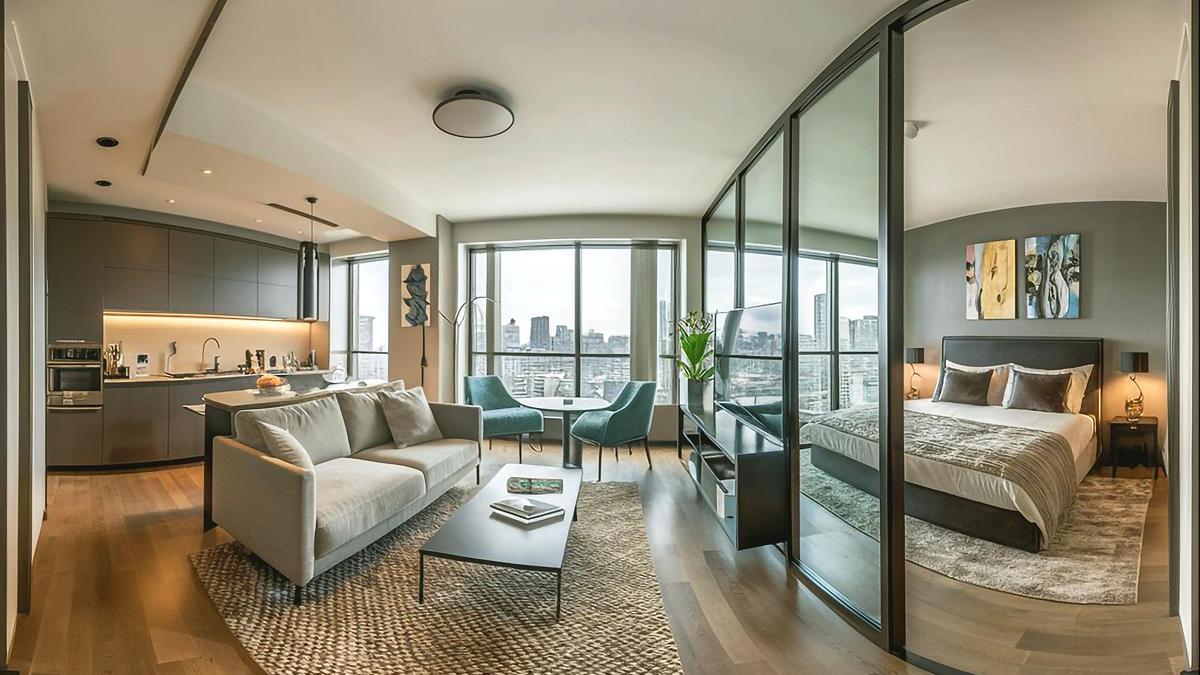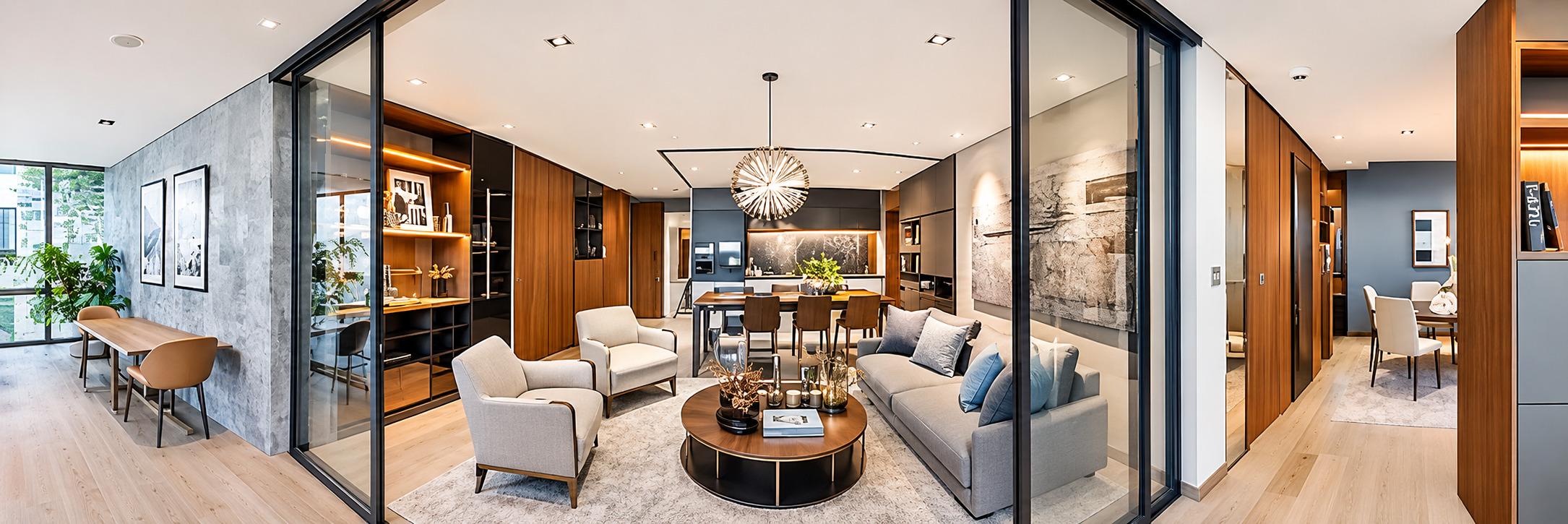
With 360 virtual property tours, users can take a look at a house, office, or building virtually by turning their head and moving to another room in different directions, as if they were there. Unlike browsing just a few static images, users have a choice of where to turn their head, what room to go next, and what detail to examine.
This blog describes what 360 virtual property tours are, how they're created, and how buyers use them. It covers panoramic photography, image stitching, hardware and software, hot spots and floor plans, virtual tours versus photos and video, and virtual tours in residential, commercial, and under-construction real estate.
What are 360 Virtual Property Tours and How Do They Work?
A 360 virtual property tour comprises a series of interconnected images, each presenting a complete sphere-like view taken from a particular location in the property. This is done using software that allows users to view any direction in a room and then move to another position. The tours are opened from a web browser running on either a computer, phone, or a tablet.
Here is how a normal 360 property tour process unfolds for buyers:
- The buyer clicks a link from the listing page, a website, or a QR code from the sign.
- They see the first image, which normally shows the entrance or living space.
- Then they use dragging and swiping to view and zoom into details.
- Clicking arrows, hotspots, or a floor plan leads them to the next room.
- Finally, they view information labels, watch the embedded videos, or use a contact form.
No installation is needed. This is one of the reasons why 360 property tours have become common thing in real estate.
360° Panoramic Photography and Image Stitching
The quality of the tour depends on photography. It involves capturing images of each scene as panoramas from one position, with a camera placed on a tripod at eye level. Here are some useful tips that can significantly help:
- Make sure you use a tripod and that the camera stays horizontal. Any tilting of the horizon makes rooms look distorted.
- Pick your spots carefully. Panoee, a company that offers tour software, says that for an average three-bedroom house, you will need six to ten shooting spots, and place the camera a couple of feet away from the wall so there won’t be any distortion.
- Light control. It’s good to have natural light with the same colour throughout the room, but if you have bright windows, you might want to use more than one exposure, called HDR.
- Arrange the room. Clean the room and get rid of any distracting objects; hide the photographer and the tripod.
- Cover the tripod. The spot underneath the camera is usually covered by the logo or edited out during post-production.
The stitching process is where the captured images are transformed into the panoramic image. A single-shot 360 camera has two or more lenses, and the captured images from each lens are stitched to create the equirectangular image, which is a flat image that covers the whole sphere. In the case of using a DSLR and the panoramic head, multiple images will be taken, and stitching occurs later on a computer. Proper stitching will conceal the seams, ensuring that straight lines, such as those of doors and ceilings, appear straight.
360° Cameras and Virtual Tour Software
Two kinds of tools make a tour: the camera and the software.
| Capture method | How it works | Best for |
|---|---|---|
| Single-shot 360 camera | Two wide lenses capture the full sphere in one click | Fast, affordable tours for homes and offices |
| DSLR with panoramic head | Many overlapping photos are stitched | Highest image quality, luxury and commercial work |
| 3D scanner or depth camera | Captures depth and builds a 3D model | Accurate dimensions and dollhouse views |
| Rendered panoramas | 360 images generated from 3D design files | Properties not yet built |
These types of software provide hosting for the panoramas and also allow interaction. Usually, these programs contain the following functions:
- Scenery linking and navigation arrows.
- Information hot spots, containing text, images, links, and videos.
- Interactive floor plans.
- Embedding codes for listing websites and QR codes for signs.
- Branding, such as logos and unique web addresses.
- Lead generation forms and analytics that can show which rooms visitors look at.
- Compatibility with headsets and mobile.
Choosing the correct system depends on quantity and quality requirements. For example, a real estate agent who works on several properties per year can use a one-shot panorama camera with a subscription service. But a developer or commercial landlord can contact a 360 virtual tour company.
Interactive Hotspots and Room-to-Room Navigation
Hotspots allow you to transform a set of panoramas into a tour. There are two types of hotspots:
- Navigational hotspots: Arrows or marks in locations of doorways and openings that lead the viewer to the next scene. It is important to choose a reasonable route that will make the tour look like a true walkthrough, placing navigation points where a person will naturally navigate.
- Informational hotspots: Small icons that provide access to additional information like text boxes, photos, videos, or links. Additional information may include appliance information, measurements, finishes, neighbourhood video, mortgage calculator, etc.
A good use of hotspots allows one to make the tour easily understandable. An excessive number of icons creates confusion, so only those that provide really useful information should be marked. The icons should have a simple label, and the tour navigation should be tested with a phone since fingers work differently from a mouse.
It is common practice to provide a default scene view of every room as well as an optional guided or automatic tour mode.
Interactive Floor Plans and Property Layouts
The 360-degree tour illustrates the look of each individual room. However, a floor plan reveals the overall layout of the property. An interactive floor plan combines both elements, whereby the floor plan is placed in one corner of the tour with the corresponding marker of panoramas, and the viewer can immediately get to the required room by clicking on it. Usually, there is a small arrow that indicates where the viewer is looking.
It is important due to the fact that 360 images alone may create a confusion regarding the layout of the building. The floor plan helps to understand the distance between the kitchen and entrance, which rooms are connected, etc. Also, some platforms are capable of creating a 3D dollhouse view of the property based on the scans, and others require a 2D floor plan created by an interior designer.
360° Virtual Tours vs. Traditional Photos and Video
Each format has a role. Here is how they compare.
| Feature | Photos | Video walkthrough | 360° virtual tour |
|---|---|---|---|
| Viewer control | None | None; the camera operator decides | Full: where to look and where to go |
| Sense of space | Limited | Good, but linear | Strong |
| Production effort | Low | Medium to high | Medium |
| Layout understanding | Weak | Moderate | Strong with floor plan |
| Detail inspection | Limited to the shot | Limited to the footage | Zoom and look anywhere |
| Interactive information | Captions only | Overlays at most | Hotspots, links and forms |
| Suitable for | Every listing | Storytelling and lifestyle content | Remote viewing and shortlisting |
Photos are still important, since they are quick to view and usable anywhere. Video is useful for telling the story, displaying the neighborhood or lifestyle of the property. Most agents make all these types of content, using photos to attract buyers, video for storytelling, and tours for serious clients.
How a 360° Property Tour Is Created: Step-by-Step Process
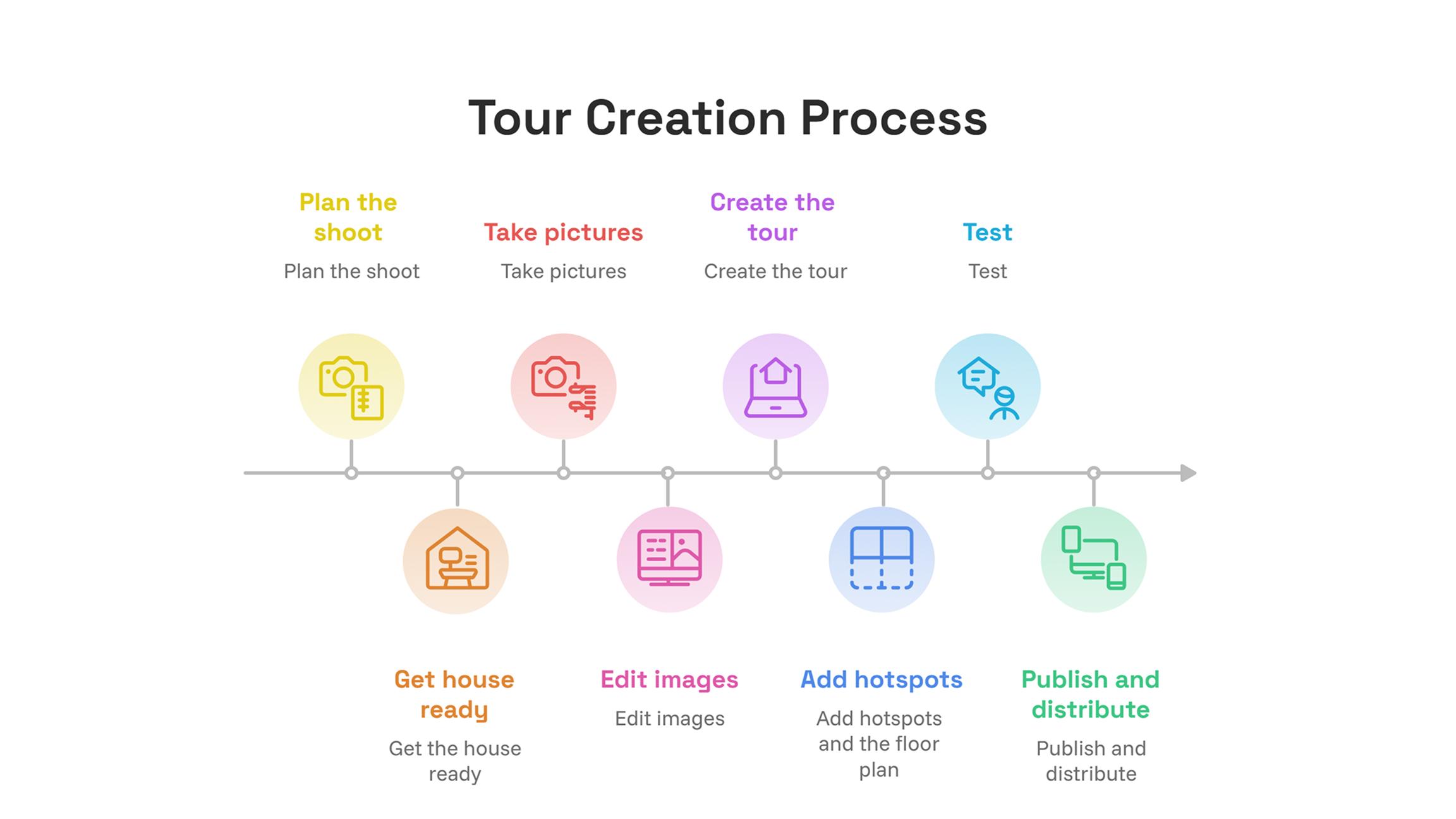
- Plan the shoot: Determine the path to walk, the number of scenes, and the time of day that is most convenient for lighting.
- Get the house ready: Clean, declutter, open the blinds, turn on the lights, and remove personal objects from the rooms.
- Take pictures: Set up the tripod, align the camera, and make panoramas, using several exposures in case of bright windows.
- Edit images: Stitch, adjust colors and brightness, correct lines, and make sure that the tripod is not visible.
- Create the tour: Upload to tour software, connect the scenes, and determine starting views for them.
- Add hotspots and the floor plan: Add navigation arrows, informative signs, and the plan with markers.
- Test: Test all the links using a computer, mobile phone, and tablet. Correct any links that have problems or that load too slowly.
- Publish and distribute: Use the link as part of your listings on webpages and in marketing materials. Also print a QR code for use in brochures and signs.
Skilled photographers can generally photograph a typical property during a single quick visit. The additional editing process and building will require extra time, particularly if the property is large or commercial.
360 Virtual Property Tours for Residential Properties
For houses, apartments, and holiday lettings, the virtual reality tour enables buyers and tenants to short-list properties without traveling or booking a viewing. This type of virtual tour is particularly suitable for busy buyers, relocating families, and foreign investors who cannot view the property in person.
Furthermore, a virtual tour is also beneficial for sellers and real estate agents. A buyer arriving at a viewing after taking the tour knows the layout of the house and what he likes, so that the viewing becomes more focused.
For instance, a three-bedroom home may consist of nine shots, including the entrance, living room, kitchen, dining, three bedrooms, bathroom, and garden. The navigation arrows take a logical path starting from the front door to the ground floor, up the stairs. Hotspots in the kitchen give information about the appliances used and the material of the work surface. There is a hotspot on the garden shot where you find a short video of the street. The floor plan on the corner of the shot enables you to move to the main bedroom instantly.
360 Virtual Property Tours for Commercial Properties
Commercial buildings such as offices, retail outlets, warehousing, restaurants, hotels, and co-working spaces usually consist of many floors and are very expansive, and they can even be expensive to inspect. In the real estate business, the 360° Virtual Tour for Real Estate is useful for checking the layout, height, loading areas, meeting rooms, and finishes, among other things, before sending a group of people.
Hotspots can show the floor area, power and data points, accessibility, leasing information, among others, and floor plans can show how the space can be divided.
Moreover, 360-degree virtual tours of property make it easy for real estate agents to present commercial property to possible renters and investors regardless of their geographical location. Business entities get an opportunity to view the property at their leisure, compare available properties, and select the ones that fit their requirements without making several trips to the site.
360 Virtual Tours for Under-Construction Properties
If you want to sell or rent a construction site, virtual tours are the solution. Since there is no finished building to shoot, your tour will be built using design plans.
And there are basically two ways this can be done:
- 360° rendered tours. The design team renders panoramas of the key spaces- the living room, kitchen, bedrooms, and lobby- and links them together as a regular tour.
- Interactive 3D walkthrough. Buyers navigate through the building in real-time 3D and can enjoy the view from windows and even change finishes on occasion.
Since they are based on design files, the tours have to correspond with the design, finishes, and dimensions that are going to be built. Mark the images as part of the design and update the tour whenever you make changes. Developers can also use progress photography, including actual 360 captures as construction proceeds, to allow buyers to follow the construction process.
For example, a developer marketing apartments in a tower building that is not much more than a concrete shell. The design team creates 360° panoramas of the interior spaces: living space, kitchen, bedroom for the presentation unit, lobby, and roof garden. Buyers visit the 3D tour, look through the window of the living room to see the view from the unit, and use the floor plan to compare different units. Any changes made to the finishes cause the panoramas to be re-rendered and a new tour version to be published.
Benefits of 360 Degree Tours for Virtual Tours of Properties and Real Estate Marketing
- Look whenever you like: Buyers and tenants can visit the property in the evening, in another city, or even in another country.
- More qualified lookers: Individuals who schedule a visit have already looked at the design and are willing to visit.
- Powerful listing: The virtual tour enhances visibility of a listing in search results and on social media.
- Less wasted time: Those who aren’t a suitable match will eliminate themselves early on.
- A valuable asset: You can use the same panoramas in brochures, websites, social media, and virtual staging.
- Valuable analytics: Analytics can reveal the number of viewers and the popularity of certain rooms.
- The wider reach: Foreign buyers and those living elsewhere are capable of participating in the early stages of purchasing a property.
Vendors may provide statistics on faster selling times and more views on listings with virtual tours. It is best to approach the situation. You can use the same panoramas to measure success based on the comparison of listings with and without virtual tours.
Limitations of 360 Virtual Property Tours
- A tour does not replace an actual visit: A tour cannot provide smell, sound, the environment of the neighbourhood, and the exact condition of finishes.
- Images are important: Bad lighting, disorganization, and poor stitching can make your property look unappealing.
- Limited depth: Basic 360 tours show scenes from a fixed position and don't give a real opportunity for free movement and exact measurements.
- Maintenance: If a property can be changed, the tour needs to be updated.
- Accessibility and performance: Large tours have to load fast on mobile devices and have to have text alternatives where it is possible.
- Honesty: Editing has to be done without hiding any defects or changing property appearance.
Key Features of a Good 360 Property Tour
- Level and well-lit panoramas: No tilted horizon, dark areas, or overexposed windows.
- Logical navigation: The path follows the person's movements.
- Clear floor plan: Readable and logically connected scenes.
- Relevant hot spots: Useful information, no clutter.
- Fast loading: Loads on mobile data.
- Brand and contact visibility: Easy to inquire and book a visit.
- Accuracy in portrayal: The tour portrays the actual property or the actual design.
How to Choose a 360 Virtual Tour Company
If you are not interested in shooting and building your own tours, consider engaging a professional company that will save you time and effort and likely will deliver better results. Search for:
- A collection of completed tours: Explore their quality both on the phone and on the laptop.
- Experience with your type of property: Residences, offices, and unbuilt real estate objects each require different approaches.
- Equipment and image processing know-how: Inquire about capturing, stitching, and correcting images.
- Deliverables: Quantity of scenes, hotspots, floor plans, hosting, embed codes, and branding.
- Delivery time and cost: A detailed estimate, including additional expenses for updates and hosting.
- Image ownership and hosting: Who will own the images, and what if you want to change the platform?
- Support and updates: Procedures for handling changes when the property is redeveloped.
The best 360 virtual tour company will also be able to recommend when a simple tour will be sufficient and when a full 3D walkthrough is more appropriate, especially when it comes to unbuilt properties.
Conclusion
The 360 virtual property tours provide buyers or renters with clear, self-explanatory insights into a property before their visit. The creation of high-quality tours requires high-quality photography, clean stitching, easy navigation, and a floor plan, and is applicable to residential and commercial properties and even future buildings. Utilize tours along with photos and videos, monitor the performance of tours for your own listings, and find a provider who can provide samples of their products.
Written By Charu Sharma