A person learns to do a particular job better when he or she performs it. The trouble is that many jobs cannot be trained in because they're dangerous, costly, and disruptive. You can't interrupt a conveyor belt line to spend a morning practicing, and a recruit is certainly not expected to learn how to enter a confined space on his or her own.
This issue prompts a rise in the use of XR training solutions. With extended reality training, a person gets an opportunity to practice actual activities in a risk-free and reproducible environment, receiving feedback on his or her performance. Such XR training solutions allow organizations to enhance their workforce capabilities without facing the drawbacks of traditional training. This article describes the spheres where these solutions are used, their outcomes, and what one needs to consider before implementing them.
What are XR Training Solutions?
XR means extended reality. This is made up of the following three elements:
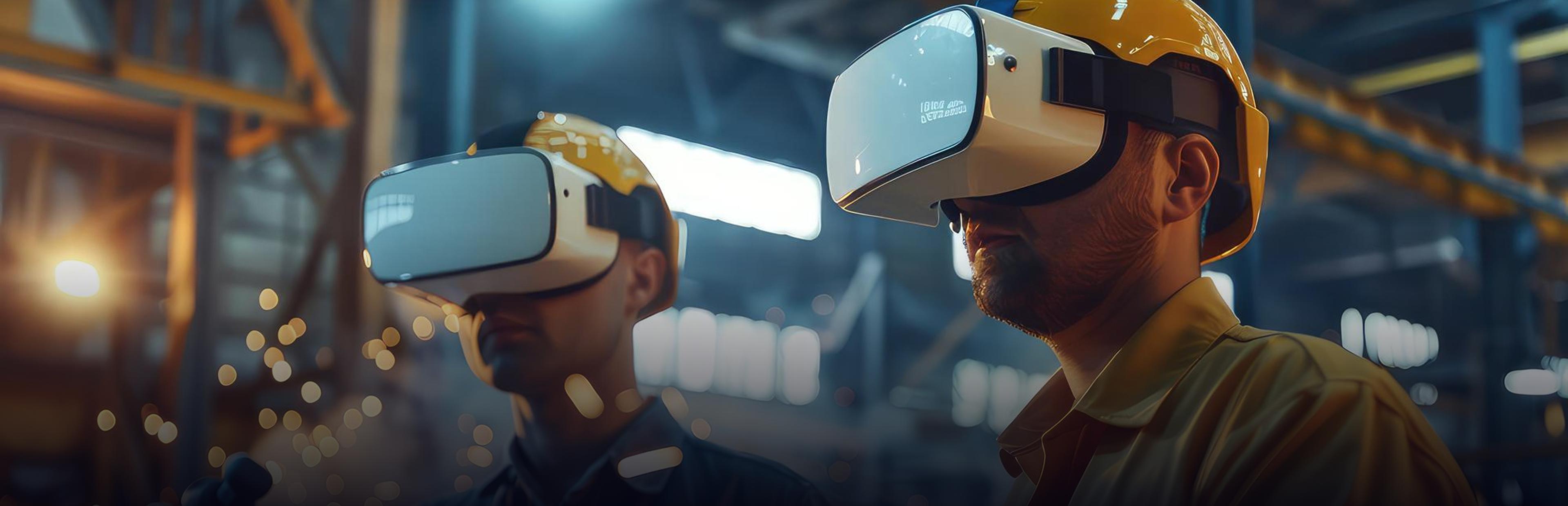
- Virtual reality (VR): where a headset substitutes your visual surroundings with a virtual environment
- Augmented reality (AR): where digital instructions/models pop up over the physical surroundings on glasses, a tablet, or a mobile phone screen
- Mixed reality (MR): where digital objects interact with the physical surroundings.
Extended reality training employs one or more of these for task training. A general guideline here would be to use Virtual Reality when the experience poses dangers or lacks accessibility, and AR if the employee must be in the actual workplace and receive guidance during the process. There are various XR training solutions available to businesses according to the intricacy of the task, equipment, and skill development needed.
It is not necessary to invest in the whole setup of a headset. AR guidance relies on tablets, smartphones, or smart glasses, which the facilities may already possess or purchase inexpensively. The VR technology requires a headset and a small area of unobstructed floor space. Most of the available standalone headsets require no connection to a computer or cables.
Why are Industries Adopting XR Training?
Workers do rather than listen. There are lectures and videos describing the procedure. XR allows workers to perform it. Almost all trainers say that repeating an action a couple of times means more learning than listening to a lecture, and this is facilitated by XR. Such a hands-on approach is why extended reality training has become relevant to organizations dealing with operational and safety challenges.
Skills are better remembered. Humans tend to forget most of the information learned in a class during the first days. If workers have performed a procedure themselves, they will remember the places, the sequence, and their feelings. That is why extended reality is used for performing tasks that are not frequently performed, or that can be easily forgotten, such as emergency shutdowns.
Mistakes are free. In a virtual world, the wrong move in high-voltage panels or a chemical spill has no cost.
Consistent training everywhere. The effectiveness of classroom training depends on who is conducting the lesson. Simulations will perform in the same way no matter where you set them up, something to keep in mind if you have several plants.
Gather actual statistics. Each individual session can be recorded showing what the employee did, skipped, or repeated, giving you an idea of how much practice the person needs.
Scalability. It will cost some money to develop the first module, but all the other participants will cost just pennies. According to a study by PwC cited by AutoVRse, virtual reality training was equal in price to classroom-based training at 375 people trained, and it became twice as cheap at 3,000 people. Consider these figures indicative rather than guaranteed due to the specifics of your content and hardware.
How Different Industries Use XR Training Solutions
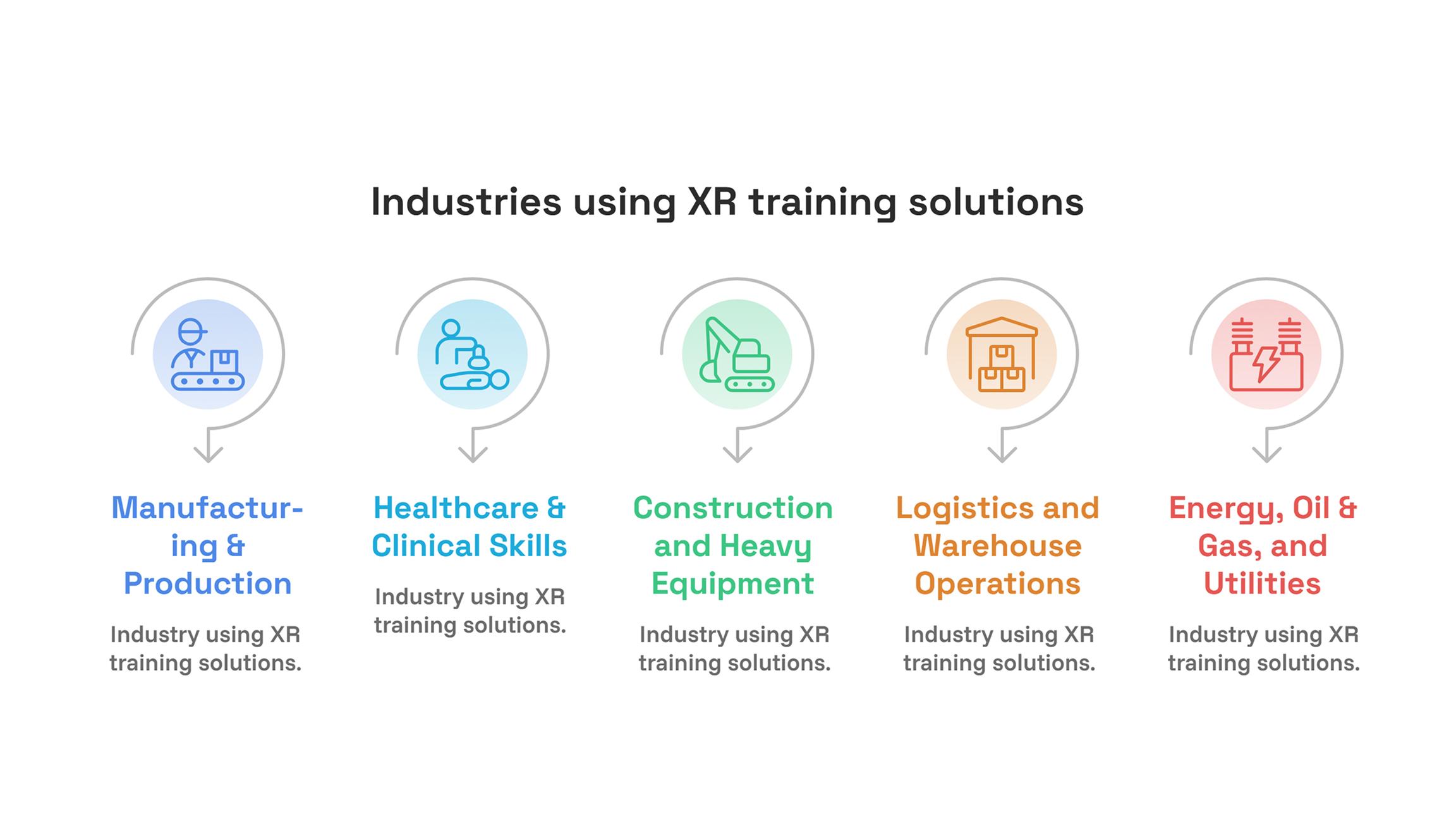
Manufacturing & Production
Factory environments involve complicated machinery, frequent onboarding, and strict safety standards. Using XR, new employees can learn how to use the machinery without actually touching it, and trained ones can practice difficult procedures without slowing down the manufacturing process.
According to AutoVRse, JSW has deployed VR training in 17 factories and for over 5,000 employees, and no employee who received the training has been in an accident during the last year. This is information provided by the company itself, so you should verify it for yourself before using it as an example.
AR is also quite effective on the shop floor. According to Kalypso, a major producer of consumer goods moved from group training by senior specialists to AR training developed based on CAD, video, and IoT data. Thus, newcomers could perform their tasks with difficult equipment without distracting specialists from their work.
Changeovers and inspections are also suitable for VR training. An operator can practice changeover and first-piece inspection in VR until he/she performs it automatically without slowing down the line while training. Also, trainers can include mistakes like a forgotten guard or wrong tool in a sequence and check how operators deal with them.
Healthcare & Clinical Skills
Clinical personnel require practice in activities that are critical and involve real people. XR allows nurses, technologists, and surgeons to rehearse, repeat, and undergo evaluation in situations where they cannot use actual patients. It can be used for training in infection control protocols, equipment management, and communication skills with patients. In the pharmaceutical industry, where the presence of even one contaminant would spoil the batch, it is invaluable.
Hospitals and clinics also use XR technology to prepare for emergency simulations, which require precise time management and team effort. Cardiac arrest or fall simulation can benefit from it significantly. Since everything is recorded, the trainer can pinpoint precisely where the trainee hesitated. XR does not substitute for supervised clinical experience; however, it will help the learner come more prepared.
Construction and Heavy Equipment
Training on construction sites poses a significant challenge. The weather, schedule, and safety concerns may impede the process. Virtual Reality can simulate high-altitude work, crane operation, excavator management, and hazards on site, so operators earn their time in the cab and learn judgment without risking injury. Site supervisors can also use it to conduct site walkthroughs and identify hazards.
Digital site models will be helpful here as well. For example, if there is an existing BIM model of a construction project, it could serve as the basis of a training scenario for crews to prepare for lifting and trench entry on the replica of the actual job site.
Logistics and Warehouse Operations
Warehouses have a high rate of turnover and seasonally hire new employees; therefore, the time factor is also critical in such cases. XR will help teach forklift routing, proper lifting techniques, pick-and-pack, and dock procedures in a quick session. AR can help the picker by providing guidance in real time, showing the correct bin, and confirming that each picked item is indeed correct.
This becomes particularly helpful during peak seasons when the warehouse employs tens of people within a couple of weeks. In this case, a quick XR session that covers all the basics about safety and equipment is helpful to start with for everyone.
Energy, Oil & Gas, and Utilities
The sector has a lot of high-risk operations. Personnel deal with pressurized tanks, confined spaces, electricity, and remote sites. XR technology enables them to practice the procedures for locking out the equipment, performing substation activities, and carrying out emergency shutdowns. According to AutoVRse, there is a VR training module developed for Tata Power Solar, which simulates the chemical spill aftermath and guides a person through the identification and containment process of the spill before it reaches the machinery.
Remote sites provide another justification. Sending a trainer and a trainee to a refinery or wind farm is time-consuming and costly, and conducting live shutdown exercises is hard to arrange. XR allows the personnel to practice the steps related to permit-to-work procedures, shutdown procedures, and emergency management before the actual exercise takes place, making it possible to arrive at the site prepared.
Common Use Cases of XR Training Technology
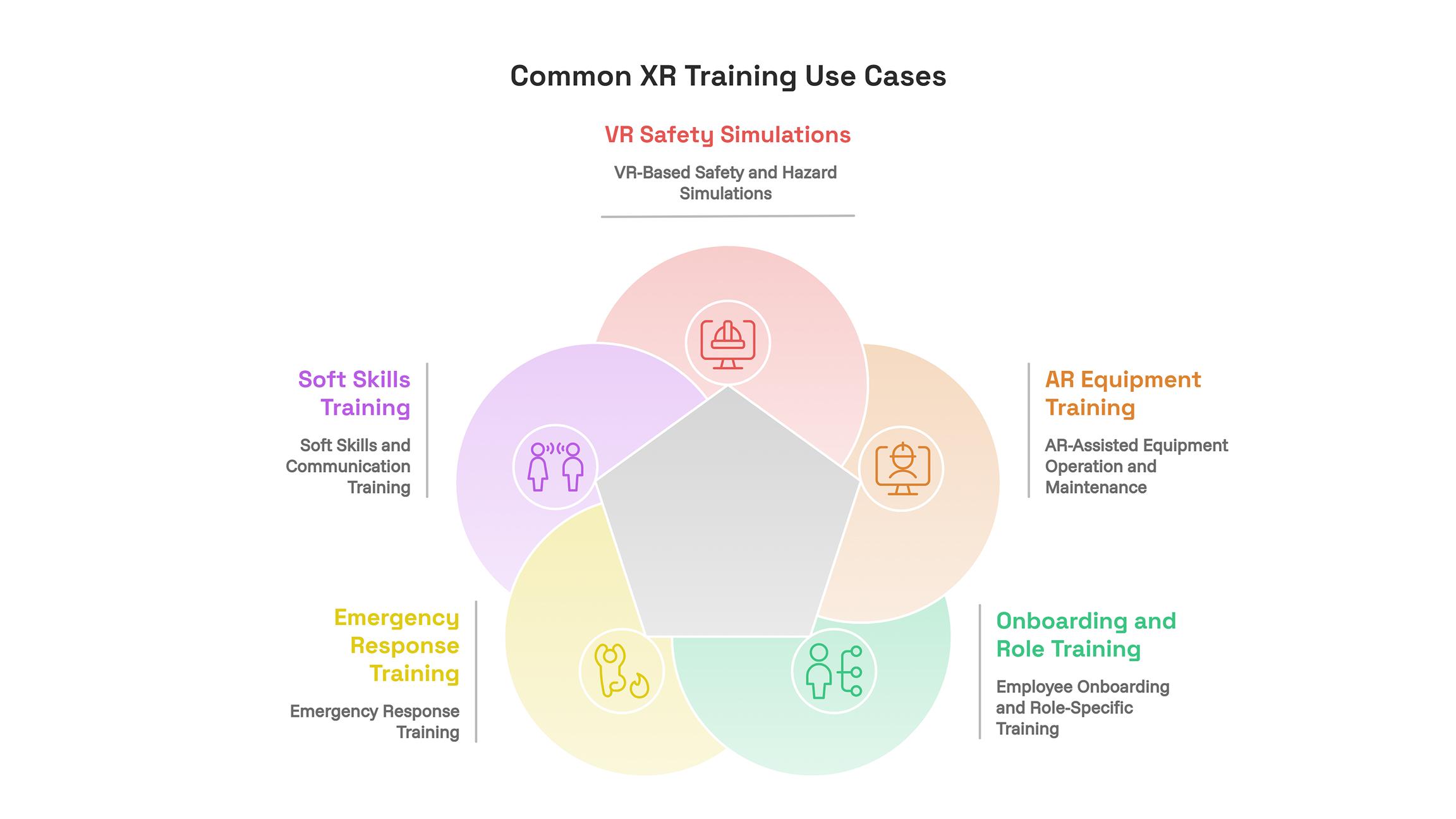
VR-Based Safety and Hazard Simulations
A person can be immersed in an environment with fire, gas leaks, and unstable loads and take appropriate actions, which are harmless to everyone. Also, the consequences of incorrect decision-making can be demonstrated in the VR simulation.
AR-Assisted Equipment Operation and Maintenance
The overlay shows you how to perform each task, indicates the correct part, and shows real-time readings on it. It works well for occasional tasks that people tend to forget the procedure for.
Employee Onboarding and Role-Specific Training
People can practice performing tasks related to their particular roles during the first week of work in a proper sequence with feedback. It reduces the time required for becoming fully independent.
Emergency Response Training
Evacuation, spills, and machinery malfunctions are infrequent events; thus, people do not have much practice in these procedures. Simulation enables entire groups to drill those infrequent situations as many times as necessary.
Soft Skills and Communication Training
XR is not only useful for training physical skills. Managers can train how to handle tough discussions, service personnel can practice dealing with complaints, and groups can drill handovers with a realistic set of virtual characters. Practice until it becomes natural is the key point here.
What Does a Typical XR Training Session Look Like?
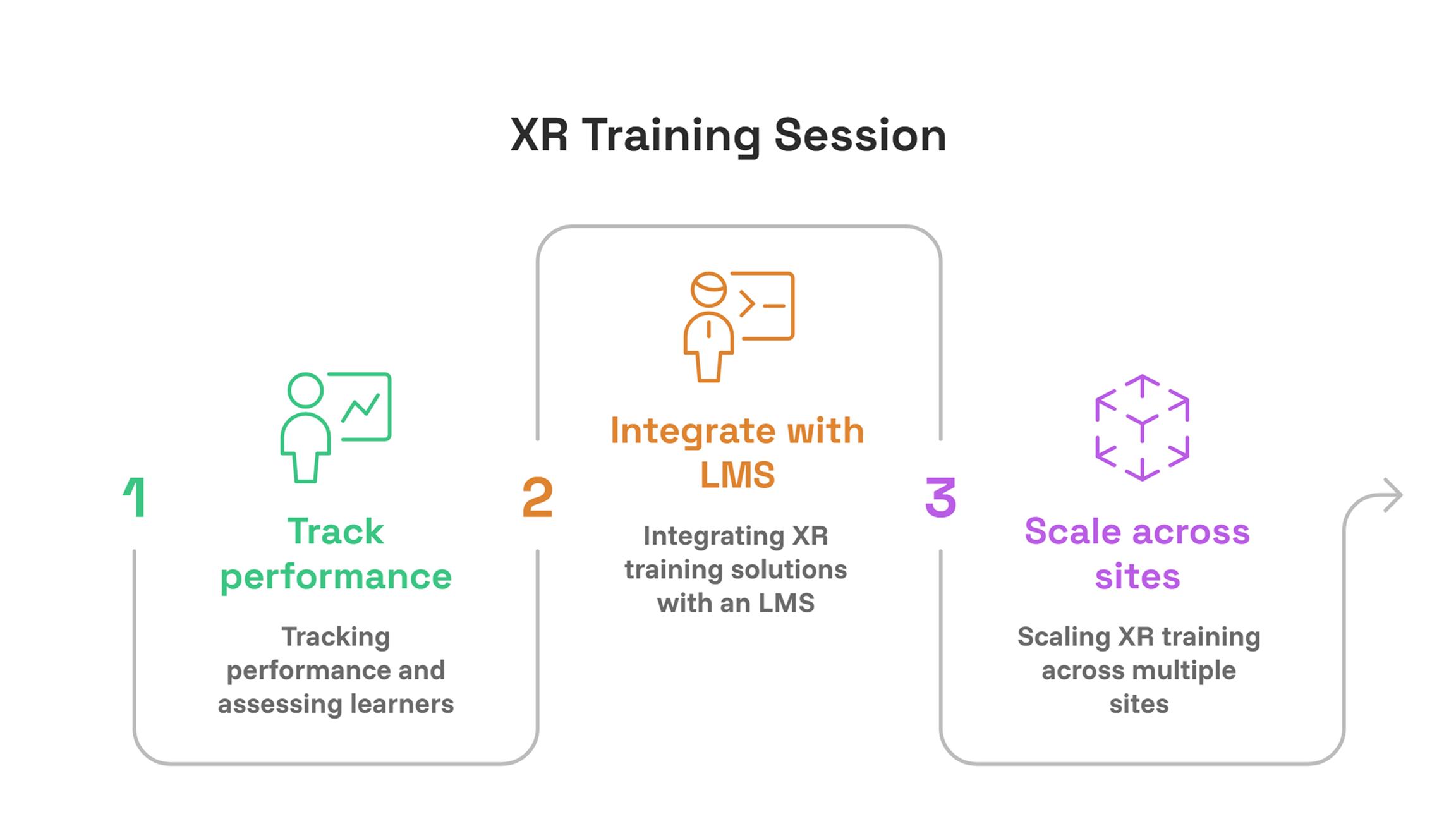
Take, for instance, this illustration. A brand new maintenance technician dons a headset for the first time at work and finds herself right next to a virtual duplicate of the pump utilized in her plant. She receives instructions for locking out, performs the process on her own after, and if she misses out on any steps, the system alerts her. She gets evaluated and receives a rating alongside a few steps that need to be repeated again. Finally, her supervisor views her performance in the LMS, giving her permission to perform the task on the actual machine. The whole session lasts about twenty minutes and requires no one present in the room other than the learner.
Tracking Performance and Assessing Learners
Checklists on paper will tell you someone attended the class. However, XR can provide information on what they have done. Common measures are time to complete, scores, number of tries, steps omitted, and where they hesitated. Managers can make comparisons between individuals, groups, and sites and also provide additional training to people requiring more practice. You should set up the passing criteria alongside safety and training leads.
Patterns will emerge after some time. In case many of the trainees skip a certain step, the issue may be the process itself or the module itself, and not the people involved. This is what makes XR data helpful in improving SOPs.
Integrating XR Training Solutions with an LMS
XR training solutions perform better when they seamlessly integrate with existing systems. Almost all LMS accept the results in compliance with common standards such as SCORM or xAPI, although there are differences in what is accepted depending on the LMS, which you need to verify in advance. With the integration performed, completions, scores, and certifications will become available right beside your other courses. Centralised libraries and an admin panel will also allow assigning modules according to user roles, controlling access permissions, and updating all headsets at once.
Scaling XR Training Across Multiple Sites
In case your company has multiple production facilities, the main advantage is consistency. It is possible to launch one module everywhere, translate it in accordance with the language used, and update everything whenever there is a change in the procedure. The employees at remote small facilities will receive the same training quality as the employees at corporate HQ, and nobody needs to travel.
Benefits and Challenges of XR Training Solutions
| Benefits | Challenges |
|---|---|
| Safe practice of high-risk tasks | Upfront cost of content and headsets |
| Same training at every site | Content must match your real equipment and procedures |
| Detailed performance data | Some workers are unfamiliar with headsets |
| Less downtime and less need for experts | Keeping content up to date as processes change |
| Cost per learner falls as use grows | Connecting to your LMS and IT security rules |
Many of these problems are easily solvable. Orientation sessions can solve the problem of apprehensive employees. Content that is customized to suit your own machines and processes solves the generic-training problem. Picking tools that support rapid editing allows you to update the training modules without a complete overhaul.
A few practical issues. Since headsets need to be shared and cleaned before each new user, have cleaning wipes and covers ready at the training station. A number of people tend to experience dizziness while using VR technology, particularly during the first few sessions; hence, these sessions should be kept short, and participants allowed to take breaks whenever they need. Performance results are personal information, and, as such, choose which parties are allowed access to the results.
How to Get Started with XR Training
- Single out one problem. Select a dangerous issue, an expensive one, or one that takes a lot of time to train in, like lock-outs or machine changeovers.
- Get input from trainers and operators. The individuals doing the job are aware of the deficiencies in the training process.
- Select the proper format. VR for dangerous, difficult-to-access activities; AR for assistance in the real work environment.
- Determine how you will assess the outcome. Options include time to competence, assessment results, number of accidents, or hours of expert labor saved.
- Test a prototype. Start with one location and gather feedback to correct any mistakes.
- Integrate with LMS and scale up. Add additional sites and modules after a successful pilot.
How to Choose an XR Training Development Company
The XR training service that is available off-the-shelf can be used for learning about general things like fire safety, but an XR training service should be customized for the equipment and processes specific to your industry. In talking with an XR training development company, make sure to inquire about similar services they have done, the process for turning your SOPs and CAD files into an XR training service, how it integrates with your LMS, and what kind of post-launch support is involved.
A knowledgeable vendor can also assist in making a decision about whether an XR training service needs to be customized or whether an already available training module will suffice.
Conclusion
Companies are increasingly using XR training solutions because it is well known that people learn by doing something, but there were always risks and costs associated with such approaches. However, with proper planning of extended reality for training, companies will be able to develop an experience that will prepare their staff for actual work tasks. Identify one single issue at the very beginning, create your content based on your existing equipment, connect everything to the LMS, and evaluate the outcomes. Scaling up will not be an issue once you see the results from your pilot.
Written By Charu Sharma